Getting Started Guide
Start your reading journey

Common First Questions
What can I do?
Reviews, quotes, notes, progress tracking, and search all in one app. Supports physical books, e-books, movies, and more.
Does it cost anything?
Free plan is forever free. Paid plans offer unlimited registration, bookshelf features, and additional export formats.
How quickly can I start?
Registration: 1 minute. Master the basics: 30 minutes.
All paid plans include a 30-day free trial!
Unlimited books (works), exports, bookshelf features, and more — try all paid features for free.
See How It Works
Check out the features in the tutorial
RecommendedRegister Now
Register for free and start immediately
FreeFree Plan Includes
- Unlimited reading logs
- Up to 20 books (works) per reading log
- Reading notes, reviews, and summaries
- Progress charts to visualize achievements
- Save to Google Drive
- Works on smartphone, tablet, and PC
Choose a registration method:
Required Information:
- Google Account: Used for login (no email address entry required)
- Date of Birth: For age verification (parental consent required for ages 12 and under)
- No password to set up or remember
- Safe and easy login
- Protected by Google account security
Free Plan Features: Up to 20 books (works) per file, unlimited files, local/cloud storage (ads may be displayed)
Already have an account? See Login Guide
Need more books (works) or advanced features?
View Paid Plans
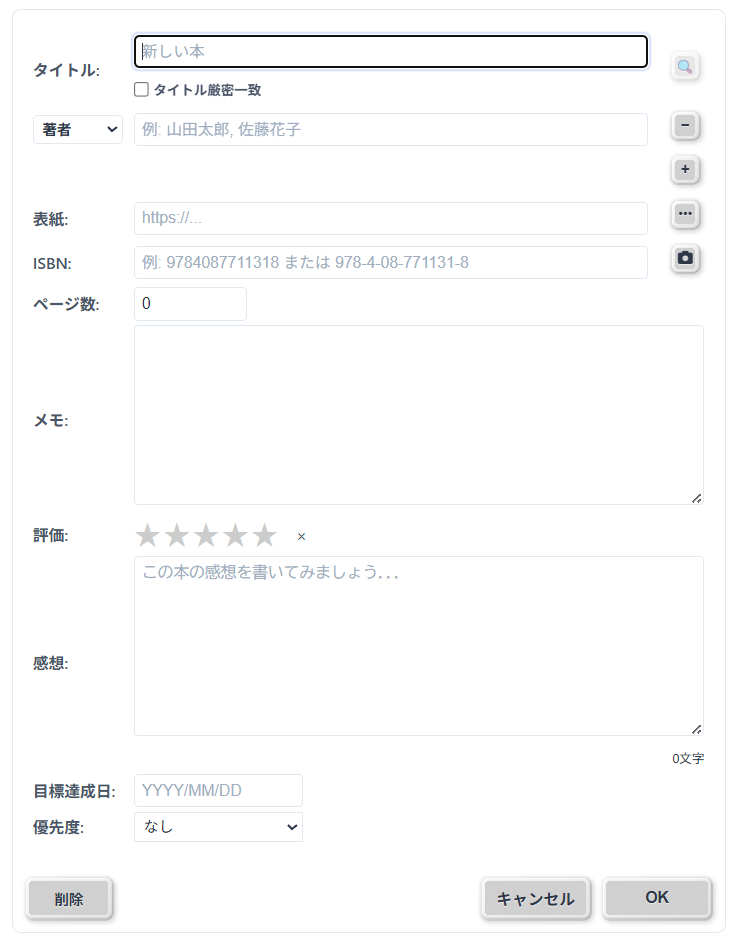
After logging in, register your books (you can also add books using the [Add Book] button).
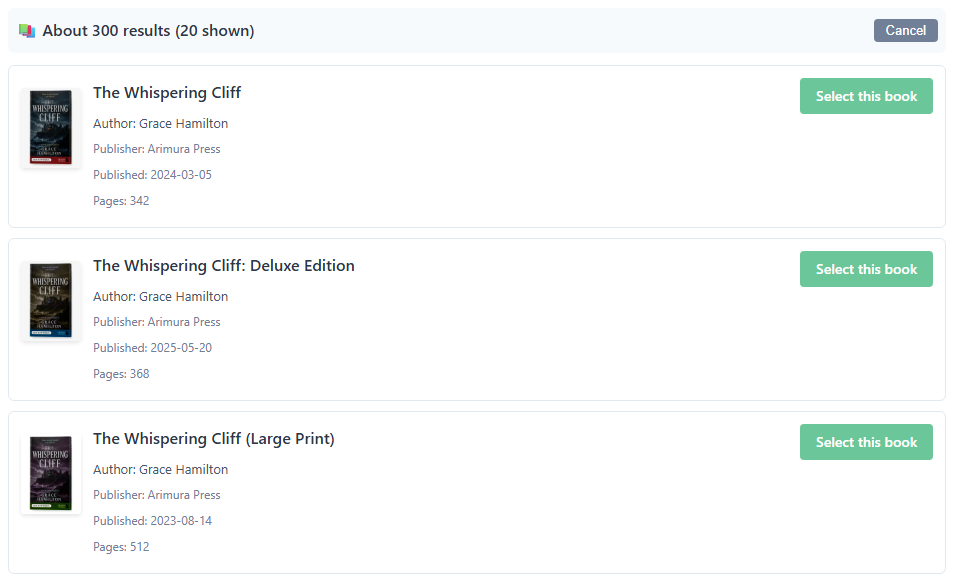
Search by title, author, or ISBN, or scan a barcode with your smartphone camera to auto-fill book information.
💡 Record not just physical books, but also e-books, web pages, papers, movies, and music
For movies and music, see Recording Movies and Music (importing credits and a few other steps differ from books)
Select a book and click [Add Record].
Record pages read and notes.
💡 No need to read in order. Freely record when and what pages you read.
Great for reading specific sections of textbooks, or tracking movies and music by time (HH:MM:SS).
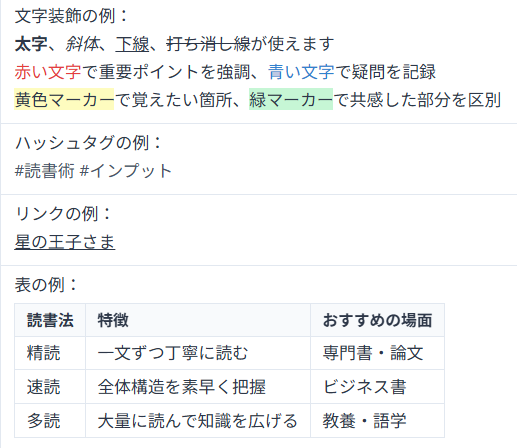
Useful Memo Features
Save your records locally or to Google Drive.
Google Drive is recommended for using on multiple devices.
Quick save with Ctrl+S (Mac: Cmd+S).
💡 Auto-backup runs 5 minutes after editing, so your data is safe even if you forget to save.
Saving locally on smartphones
On smartphones, files are saved to the Downloads folder. For accessing your data across multiple devices, we recommend saving to Google Drive.
Learn More
Want to learn about features and how to use the app?